

You identify a Canon lens by reading its full name string first: the mount code, focal length, aperture, and any technology letters tell you almost everything. From there, you confirm the mount visually and record the serial number to verify authenticity. Check the checklist below for the complete verification process.
TL;DR:
- Canon lens names follow a specific order: mount, focal length, aperture, technology letters, and generation, which helps decode compatibility and features.
- RF and RF-S mounts are designed for Canon’s mirrorless EOS R system, while EF and EF-S are for DSLR cameras, distinguished visually by a plastic pin on EF-S lenses.
- Lens abbreviations like L, IS, USM, and STM indicate durability, stabilization, and focus motor type, with red rings signaling professional-grade quality.
- Serial numbers are digits-only, located near the mount or on the lens barrel, and verifying them helps confirm authenticity and ownership.
- Counterfeit lenses often have minor inconsistencies, such as logo spacing or serial number format, requiring careful inspection and consultation with Canon support if in doubt.
Table of Contents
- How to Identify a Canon Lens: Reading the Name
- Canon Lens Mount Types and What They Tell You
- Decoding Canon Lens Letters: IS, L, USM, STM, and More
- What the Rings, Finish, and Markings Tell You
- Where to Find a Canon Lens Serial Number
- How to Spot a Counterfeit Canon Lens
- Quick Canon Lens Identification Checklist
- Tools and Pages Worth Bookmarking for Verification
- Sources
- FAQ
How to Identify a Canon Lens: Reading the Name
Every Canon lens name follows a set order, and once you know that order, the whole label starts making sense. The pattern runs mount, then focal length, then aperture, then any technology letters, and finally a generation number if there is one. Canon’s own explainer on lens naming confirms this sequence is intentional: it tells you which camera family the lens belongs to before it tells you anything else.
Take RF 24-70mm F2.8 L IS USM as an example. “RF” is the mount, “24-70mm” is the focal length range, “F2.8” is the maximum aperture, “L” flags it as a professional-grade lens, and “IS USM” tells you it has image stabilization and an ultrasonic autofocus motor. Compare that to EF 50mm f/1.8 STM: EF mount, fixed 50mm focal length, f/1.8 maximum aperture, and an STM focus motor. No “L,” no “IS.” Shorter name, simpler lens.
Aperture notation itself carries information worth knowing. A single number like F2.8 means the aperture stays constant across the whole zoom range. Two numbers separated by a dash, like F4-5.6, mean the maximum aperture narrows as you zoom in. A 70-300mm F4-5.6 lets in more light at 70mm than it does at 300mm, and that variable-aperture design usually signals a budget-friendly build rather than a professional one.
Roman numerals matter too. “II” or “III” after a lens name marks a new generation of the same optical formula, usually with updated coatings, autofocus, or build quality. The EF 50mm f/1.8 II and the newer EF 50mm f/1.8 STM aren’t the same lens despite similar specs. If you see extra words tacked onto the name, like Macro, Fisheye, or TS-E for tilt-shift, those describe a specialized optical design rather than a standard zoom or prime. A lens marked MP-E 65mm f/2.8 1-5x Macro Photo is built exclusively for extreme close-up work and won’t focus on anything beyond a few inches.
Canon Lens Mount Types and What They Tell You
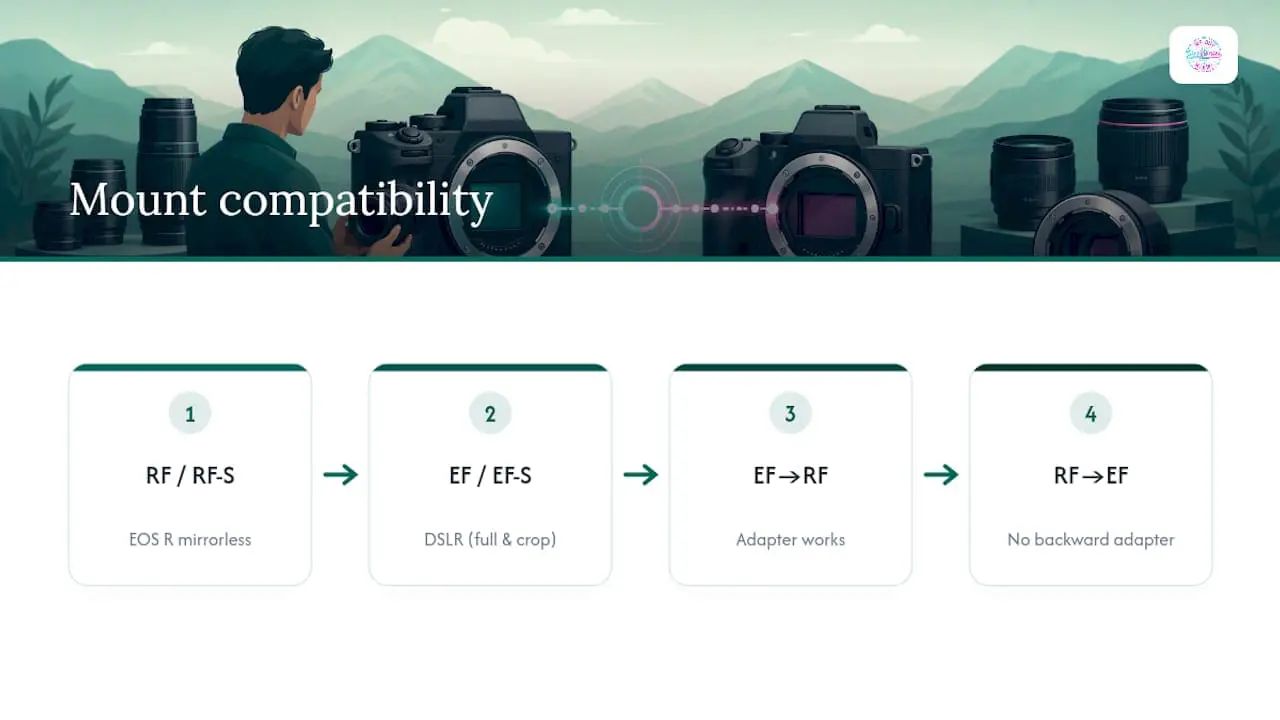
The mount code at the start of a Canon lens name is the single fastest compatibility check you can do. RF and RF-S lenses are built for Canon’s mirrorless EOS R system, with RF-S designed specifically for the smaller APS-C sensor bodies in that lineup. EF and EF-S lenses belong to the older DSLR world: EF covers full-frame and crop-sensor DSLR bodies, while EF-S is built only for crop-sensor DSLRs. EF-M is its own separate mount, used exclusively on Canon’s now-discontinued EOS M mirrorless cameras, and it is not interchangeable with EF, EF-S, or RF glass without a specific adapter. Older FD lenses predate autofocus entirely and belong to Canon’s manual-focus film era.
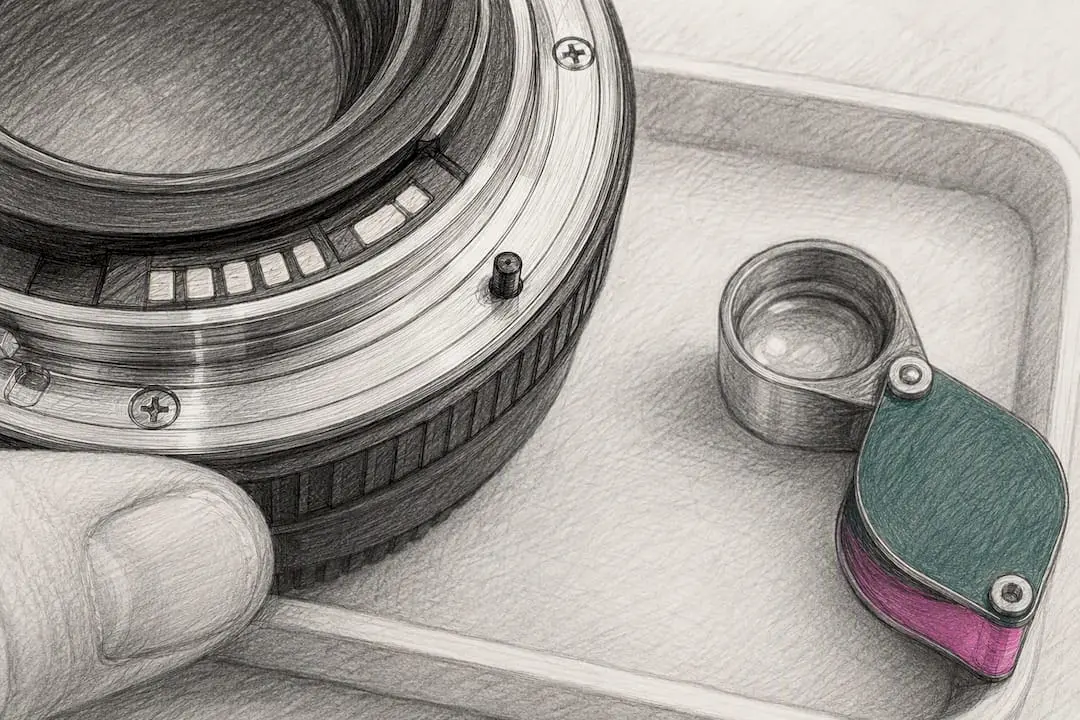
Physically telling EF apart from EF-S comes down to one small but reliable detail. EF-S lenses have a plastic pin near the mount lip that physically blocks them from seating on a full-frame DSLR body, a safeguard photography references consistently point to as the clearest way to distinguish EF from EF-S at a glance. EF lenses lack that pin and mount on either full-frame or crop-sensor DSLR bodies without restriction. If you’re holding a lens and it simply won’t lock onto your full-frame body, that pin is almost certainly why.
Adapters complicate the picture in useful ways. An EF or EF-S lens will mount onto an RF-series mirrorless body through Canon’s EF-EOS R adapter, and that combination works exactly as it did on a DSLR: EF-S lenses still only cover a crop-sensor image circle even when adapted. What you cannot do is adapt an RF lens backward onto an EF-mount DSLR. The mount geometry and electronic contacts only work in one direction, so if you’re buying used and someone claims an RF lens works on their old Rebel body, that claim doesn’t hold up.
Decoding Canon Lens Letters: IS, L, USM, STM, and More
The letters after the aperture number are where a Canon lens name starts telling you what the glass actually does, not just what it fits. The most valuable one to recognize is L, short for “Luxury,” and it’s usually paired with a red ring around the front barrel. L-series lenses carry Canon’s highest optical standards, tougher weather sealing, and correspondingly higher price tags, and the red ring itself is a deliberate professional-line marker rather than decoration. If a lens has that red ring, it belongs to Canon’s top tier regardless of what else is in the name.
IS stands for Image Stabilization, an optical system inside the lens that counteracts small hand movements. It matters most in two situations: shooting handheld in low light, and shooting at long telephoto focal lengths where even a slight tremor gets magnified into a blurry frame. A 400mm lens without IS demands a much steadier hand or a tripod than the same focal length with it.
Autofocus motor letters tell you how the lens drives its focus mechanism. USM (Ultrasonic Motor) has been Canon’s workhorse focus system for decades, fast and fairly quiet. Nano USM refines that further for smoother video autofocus pulls. STM (Stepping Motor) trades a bit of top-end speed for exceptionally quiet, smooth focusing, which makes it a common choice on lenses aimed at video shooters and casual stills work. VCM (Voice Coil Motor) shows up on some RF-mount lenses and is built for quick, precise, quiet focus adjustments, particularly useful for tracking movement.
A handful of rarer letters point to specialized optical engineering. DO marks a Diffractive Optics element, which lets Canon build long telephoto lenses in a noticeably shorter, lighter barrel, and these lenses often carry a distinctive green ring instead of red. DS indicates a Defocus Smoothing coating that softens out-of-focus backgrounds for a smoother look, mostly seen on specialty portrait lenses. BR refers to a Blue Spectrum Refractive element used to correct chromatic aberration in select L-series primes. PZ simply means Power Zoom, an electronically motorized zoom control built for smooth video work rather than manual ring turning.
What the Rings, Finish, and Markings Tell You
Color-coded rings are Canon’s most recognizable shorthand, and they’re visible from across a room. A red ring near the front of the barrel signals an L-series lens. A green ring typically points to a Diffractive Optics lens, engineered for a compact telephoto build. White paint on large telephoto lenses isn’t cosmetic. It reflects heat rather than absorbing it, keeping the internal elements from expanding under direct sun during long outdoor shoots, which is why you’ll mostly see it on Canon’s biggest supertelephoto glass rather than everyday zooms.
Front and barrel markings do double duty as identification and as a sanity check. The front ring almost always prints the filter thread size, focal length, and maximum aperture in small white or gray text circling the lens element. The barrel itself repeats the full model name, often alongside a distance scale window on higher-end lenses.
Build quality is a quieter but genuinely useful clue, especially when you’re evaluating a used lens in person. Genuine Canon lenses have zoom and focus rings that turn with even, consistent resistance and switches that click firmly into place without wobble. A ring that feels gritty, a switch that rattles, or paint that looks slightly off-shade from Canon’s usual matte black or white are all worth pausing over before you hand over cash.
Where to Find a Canon Lens Serial Number
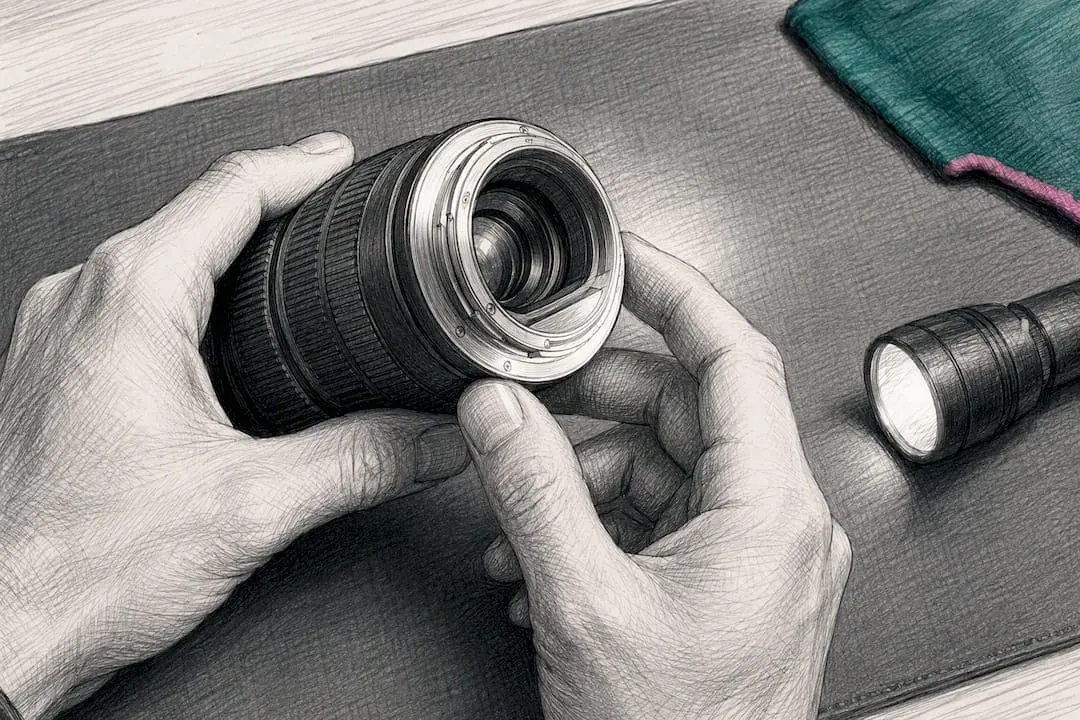
Every genuine Canon lens carries a serial number, and knowing where to look saves you from squinting at the wrong spot. Canon’s own support documentation states that lens serial numbers are commonly stamped on the side of the barrel or on the metal or plastic area near the mount, and the exact placement varies a bit by model and lens generation.
Format matters as much as location. A genuine Canon lens serial number is digits only, no letters mixed in, and the length typically runs somewhere between 5 and 12 digits depending on the model and age. If you spot a code with letters woven into it near the mount, that’s more likely a separate manufacturing or company code, not the serial number itself, and it’s not what you’d reference for warranty or ownership purposes.
If the printed number looks worn, faded, or partially rubbed off from years of handling, a careful look under good light usually still reveals it. When it doesn’t, checking the original box or receipt is the next move, and if those are gone too, comparing notes with the seller or checking accompanying paperwork is a reasonable fallback. That serial number becomes genuinely valuable beyond simple curiosity. It’s the detail insurance companies and police reports ask for when gear goes missing, and for a used lens with no original receipt, it’s often the only unique identifier that ties the item back to you.
How to Spot a Counterfeit Canon Lens
Counterfeits are a real problem, not a rare edge case. Canon issued a formal service notice warning about counterfeit EF 50mm f/1.8 II lenses after finding fakes that closely mimic the exterior but use entirely different internal parts and circuitry. That’s the core warning worth internalizing: looking right on the outside doesn’t mean the inside matches.
One specific, widely reported tell on that exact model involves the rear mount text. Genuine units print “CANON” and “INC.” with clear spacing between them, and community testing found counterfeit units frequently crowd or misspace that text. It’s a small detail, but it’s the kind of thing that separates a real inspection from a glance.
Beyond that one model, the same checks apply broadly: look at logo spacing and font weight, check whether the serial number follows the digits-only format, and pay attention to whether switches and rings feel as solid as the rest of the lens. If something feels off, don’t shoot anything important with that lens until you’ve resolved the doubt. Reach out to Canon support or take it to an authorized service center rather than guessing.
Quick Canon Lens Identification Checklist
Run through these steps in order, whether you’re holding the lens or just looking at photos of one for sale.
- Read the full name string on the barrel or in the listing. Note the mount code, focal length, aperture, and any letters.
- Confirm the mount code matches your camera (RF, RF-S, EF, EF-S, or EF-M). Is it compatible without an adapter? Yes or no.
- Locate and record the serial number on the barrel or mount area. Is it digits only? Yes or no.
- Inspect the rings, finish, and switches for consistency with genuine Canon build quality.
- Compare against Canon’s counterfeit advisories if the model has known fake versions in circulation.
- Verify the seller and ask for original packaging, receipts, or provenance if anything seems inconsistent.
If any step fails, the next move is straightforward: contact Canon support directly, ask the seller for documented provenance, or walk away from the deal rather than risk it.
Tools and Pages Worth Bookmarking for Verification
Canon’s own support site is the first stop for anything involving serial numbers or counterfeit concerns, particularly the pages showing serial number locations by model family. For a camera body’s serial number specifically, an EXIF metadata reader can sometimes pull it straight from an image file, a method outlined in detail for camera gear generally.
For decoding the alphabet soup of lens abbreviations, community references like DPReview’s breakdown of Canon lens letters fill in details Canon’s own marketing copy tends to skip. When something still doesn’t add up after checking all of these, Canon support or an authorized service center is the only source that can give you a definitive answer.
If you’re planning to sell a Canon lens you’ve fully verified rather than keep it, consider selling cameras and lenses in person for cash to avoid shipping and waiting on an online buyer to respond. Once you’ve confirmed the mount, checked the serial number, and ruled out any counterfeit red flags using the steps above, you can sell your camera lenses in Miami the same day you bring them in. The same walk-in process applies if you’re clearing out a full kit, including bodies, through our Canon camera buying service, and you can see the complete range of what we pay cash for on our electronics we buy page.
Sources
- Service Notice: Caution Regarding Counterfeit Canon EF 50mm f/1.8 II Lenses
- Where to find your serial number (Canon)
- Canon lens abbreviations
- How to check the serial number on your camera gear
FAQ
How Do I Tell if a Lens Is EF or EF-S?
Check for a small plastic pin near the mount lip. EF-S lenses have it and it physically blocks them from mounting on full-frame DSLR bodies, while EF lenses lack that pin and mount on either full-frame or crop-sensor bodies.
How Do I Tell What Type of Lens I Have?
Read the full name printed on the barrel: the mount code comes first, followed by focal length, maximum aperture, and any technology letters like L, IS, or STM, which together identify the exact model and its core features.
What Do EF and RF Mean on Canon Lenses?
EF is Canon’s mount for DSLR cameras, compatible with both full-frame and crop-sensor bodies, while RF is the newer mount built specifically for Canon’s mirrorless EOS R camera system.
Are Canon Lenses Universal Across All Canon Cameras?
No. Canon lenses are mount-specific, so an RF lens only fits RF-mount mirrorless bodies natively, and an EF-S lens only fits crop-sensor DSLRs, though adapters can extend EF and EF-S compatibility onto RF-mount bodies.
